
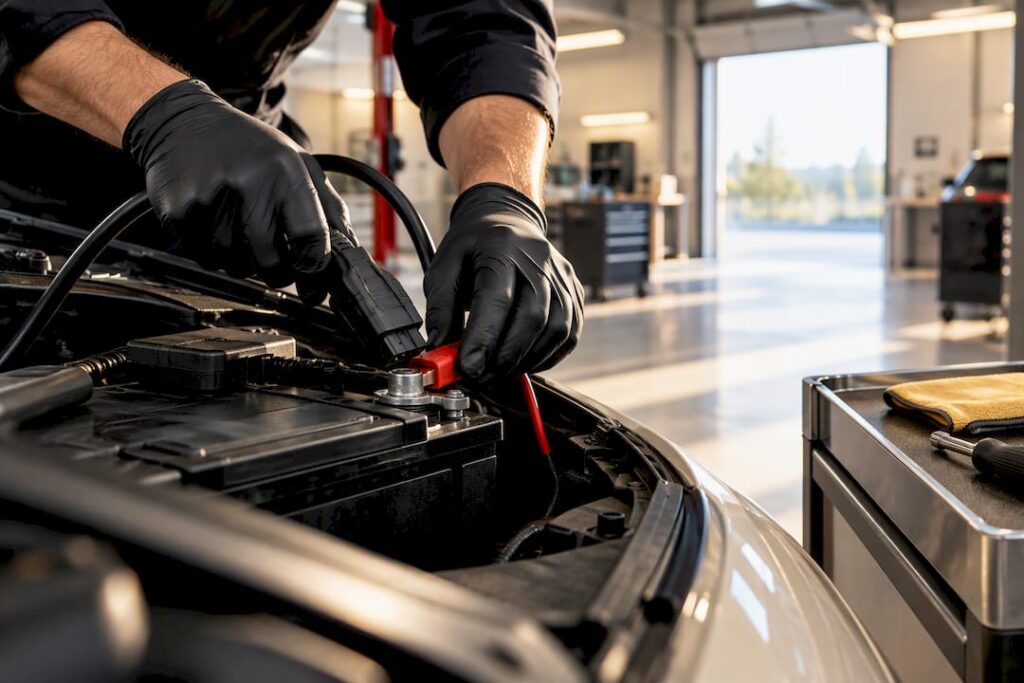
Yes, if your BMW has a Battery Management System, and nearly every model built after 2002 does, you need to register a new battery after replacement. The safest path for most owners is a dealer or a qualified independent shop with BMW-specific diagnostic access, though DIY registration works with the right scan tool and some mechanical confidence. Skip this step and you risk overcharging, shortened battery life, and warning lights that won’t clear on their own.
TL;DR:
- Nearly all BMWs built after 2002 have a Battery Management System that requires proper registration to avoid warning lights and shortened battery life.
- Battery registration is essential for AGM or high-capacity batteries and becomes especially crucial if you switch battery types or perform a start-stop system reset.
- Professional registration via dealer or independent shop using OEM tools like ISTA ensures proper recalibration, reducing risks of overcharge or undercharge.
- DIY registration is possible with a compatible scan tool but requires careful following of step-by-step procedures and a stable power supply during programming.
- Failing to properly register a new battery often results in repeated fault codes, inaccurate battery state reporting, and early battery failure.
Table of Contents
- What Is BMW Battery Registration and Why Does It Matter?
- Which BMWs and Battery Types Actually Require Registration?
- Who Can Register a BMW Battery: Dealer, Shop, or DIY?
- What Tools Do You Need to Register a BMW Battery?
- How Do You Register a BMW Battery Step by Step?
- Why Do Battery Registrations Fail, and How Do You Fix Them?
- Our Take: Why We Treat Battery Registration as Routine, Not Optional
- Book BMW Battery Replacement and Registration in Dallas
- Official References for BMW Battery Registration
- FAQ
What Is BMW Battery Registration and Why Does It Matter?
Battery registration tells your BMW’s onboard computer that a new battery is in the car. Specifically, it updates the Battery Management System (BMS), the electronic control unit that tracks battery age, capacity, and state of charge, so the car can recalibrate its charging strategy around the new unit instead of treating it like the old, degraded one.
Here’s why that recalibration matters so much on a BMW. Modern BMWs don’t charge the battery at a flat rate the way older cars do. The BMS constantly adjusts voltage and current based on what it believes the battery’s condition to be. If the system still thinks it’s managing a three-year-old battery with reduced capacity, it will undercharge a fresh one, or in some cases overcharge it, because the charging algorithm is working off stale data instead of the new battery’s actual specifications.
Owners who skip this step tend to see the same handful of symptoms show up within weeks:
- A battery warning light or “Battery Discharged” message on the instrument cluster, even though the battery is new
- Inconsistent or shortened battery life, sometimes failing again within a year
- Start-stop function disabling itself intermittently because the system doesn’t trust the battery’s reported charge
- Charging system fault codes that have nothing to do with the alternator or wiring
Community reports on forums like r/BmwTech consistently describe unregistered replacement batteries wearing out noticeably faster than ones that went through proper registration. That’s anecdotal, not a controlled study, but it lines up with how the BMS is designed to work: a car managing charge against the wrong baseline data is going to treat a healthy battery like a tired one.
Which BMWs and Battery Types Actually Require Registration?
A simple rule of thumb: if your BMW was built in 2002 or later, assume it has a BMS and needs battery registration. That covers the vast majority of BMWs on the road today, from the 3 Series and 5 Series sedans to X-series SUVs and beyond.
Certain features make registration essentially non-negotiable rather than just recommended:
- Start-stop equipped vehicles almost always need registration, since the system relies on accurate battery health data to decide when it’s safe to shut the engine off at a stop
- AGM (Absorbent Glass Mat) batteries require registration, and the BMS needs to know it’s dealing with AGM chemistry specifically, not standard flooded lead-acid
- Vehicles switching battery types, say, moving from a standard battery to AGM, or changing amp-hour (Ah) capacity, need coding in addition to registration, since coding changes how the module interprets the battery’s chemistry and capacity parameters, while registration simply resets the tracked age and state of charge
That distinction between coding and registration trips up a lot of DIY owners. Registration is the routine step every replacement needs. Coding is only necessary when you’re changing what kind of battery the car thinks it has. If you’re unsure which category your BMW falls into, check your digital owner’s manual through BMW USA using your VIN, which will list the original equipment battery type and specifications for your exact model.
Who Can Register a BMW Battery: Dealer, Shop, or DIY?
You have three realistic paths to get a battery registered correctly, and each comes with real tradeoffs in cost, access, and convenience.
- BMW dealerships run ISTA, the OEM diagnostic and programming platform. This gives dealers the deepest level of access, including the ability to handle chemistry changes and complex coding alongside registration. Expect standard dealership scheduling and shop labor rates, and plan for it to take longer than a quick in-and-out appointment.
- Independent BMW-capable shops often subscribe to the same TIS/ISTA platform or use validated J2534 pass-through interfaces that achieve comparable results. This is frequently the best middle ground: dealer-level diagnostic capability without dealership overhead, assuming the shop has invested in the right tools.
- DIY registration is genuinely doable if you already own a scan tool that explicitly supports BMW battery registration routines and you’re comfortable working through a menu-driven diagnostic interface. It’s not a job for a generic code reader.
Auto parts retailers deserve a specific mention here. Chains like AutoZone commonly offer free battery testing and often free installation, but OEM-level registration typically requires dealer or specialized diagnostic access that a standard parts-store visit doesn’t include. Buy your battery there, and you’ll likely still need a separate stop for registration.
Pro Tip: Before choosing a shop, just ask one direct question: “What software do you use for BMW battery registration, ISTA, or a validated J2534 tool?” A shop that can answer specifically is one that does this regularly.
What Tools Do You Need to Register a BMW Battery?
Not every OBD-II scanner can perform a battery registration routine, so it’s worth knowing what separates a capable tool from a basic code reader before you buy or rent one.
A tool needs to do four things at minimum:
- Establish full module-level access to your BMW’s body and powertrain control units, not just generic OBD-II data
- Run the specific battery registration function (sometimes labeled “register battery” or “new battery” in the menu)
- Read and write BMS data, including battery type, capacity, and installation date
- Connect reliably via OBD-II or, for shop-grade tools, a J2534 pass-through interface
Tool categories break down roughly into three tiers: the OEM standard is ISTA, which dealers and some independents run through official BMW technical access. Shop-level diagnostic interfaces from established automotive tool manufacturers cover most independent repair operations. Then there are aftermarket scan tools built for DIY and enthusiast use that explicitly list BMW battery registration as a supported function, worth confirming before purchase since not every “BMW compatible” scanner actually includes it.
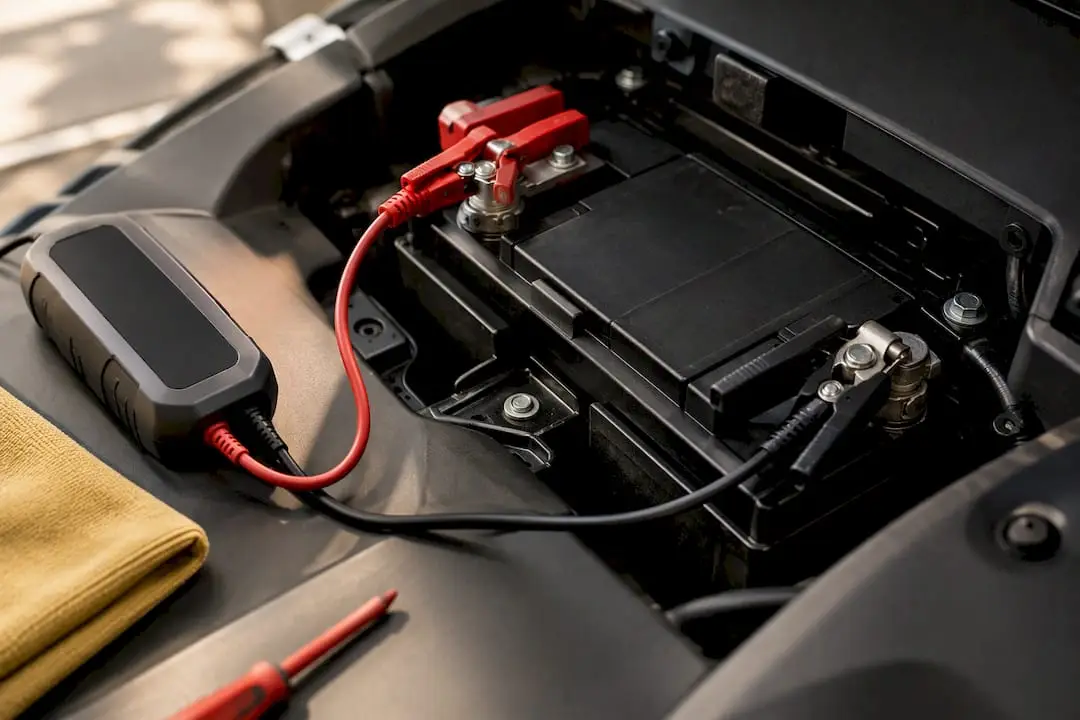
Power stability during the registration write matters more than most owners expect. BMW’s own technical documentation on programming session requirements specifies stable power supply and approved chargers during any programming session, because a voltage drop mid-write can leave a control module in a fault state that requires deeper diagnostic intervention to correct. If you’re doing this yourself, keep a battery maintainer connected during the entire process, not just during the physical battery swap.
How Do You Register a BMW Battery Step by Step?
Whether you’re doing this yourself or want to understand what a shop is actually doing, the workflow breaks into four phases: pre-replacement checks, physical installation, the registration routine itself, and verification.
- Record your baseline data before touching anything. Note your VIN, the old battery’s group size and any printed serial number, and use your scan tool to read and log any existing battery or charging-related fault codes. If your tool can display current state of charge (SOC), record that too.
- Prep for a safe swap. Turn off the ignition and remove the key from range. Disconnect the negative terminal first, then the positive. Clean both terminals and the tray of any corrosion before setting the new battery in place.
- Install the new battery in the correct sequence. Connect the positive terminal first, then the negative, torquing connections to spec. Confirm the battery is physically secured, since a loose battery can shift and cause intermittent electrical faults that mimic registration problems.
- Connect your scan tool and locate the battery registration function, typically found under service functions or the electrical system menu depending on your tool’s interface. Community walkthroughs on sites like 1Addicts show the general menu path, though exact wording varies by tool brand.
- Select or confirm the battery type and capacity when prompted. Most registration routines ask you to input or confirm the new battery’s specifications, standard AGM, capacity in Ah, before executing the write.
- Execute the registration write and let it complete fully. Do not disconnect your tool or interrupt power during this step. Once it finishes, clear any battery related fault codes that were present before the swap.
- Verify the registration succeeded. Recheck for warning lights on the dash, confirm the BMS now reports the new battery’s SOC accurately, and if your tool allows it, check that charging voltage and alternator output look normal at idle and under load.
- Take a short test drive and recheck. Start-stop should re-enable itself if the car has that feature, and no new fault codes should appear after 10 to 15 minutes of driving.
Pro Tip: Don’t skip the test drive. A registration that “completes successfully” on the tool screen but doesn’t hold up under real driving conditions usually points to a module communication issue worth catching before you close the hood for good.
Why Do Battery Registrations Fail, and How Do You Fix Them?
Most registration problems fall into a few predictable categories, and knowing what to check saves you from unnecessary part swaps or repeat visits.
Write failures happen when the registration routine starts but doesn’t complete, often due to a power interruption or a communication drop between the scan tool and the vehicle’s modules. Incorrect parameter selection, entering the wrong battery type or capacity during the prompt, is another common culprit, and it can leave the BMS calibrated against data that doesn’t match what’s actually installed. Persistent fault codes that survive a registration attempt usually mean the write didn’t fully take, even if the tool reported success.
Run through these checks if something seems off after registration:
- Re-read battery and BMS-related DTCs to confirm they’ve actually cleared, not just disappeared temporarily
- Inspect both terminal connections for looseness or corrosion, since a poor connection can mimic a registration failure
- Confirm your tool now reports the correct new battery type, capacity, and installation date, not the old battery’s data
- Check for any new communication errors involving other modules, which can appear if a programming session was interrupted
If you’re seeing repeated registration failures, communication errors between modules, or fault codes that won’t clear after multiple attempts, that’s the point to stop and bring the car to a shop with full ISTA or equivalent diagnostic access. Interrupted programming sessions can occasionally leave a module in a state that needs deeper reprogramming to correct, and that’s not a DIY fix with a basic scan tool.
Our Take: Why We Treat Battery Registration as Routine, Not Optional
We see the same pattern often enough that it’s stopped surprising us: a customer replaces their own battery, everything seems fine for a week or two, then a battery warning light shows up or the start-stop system quietly stops working. Nine times out of ten, it traces back to a registration that never happened.
The mechanical part of a battery swap is genuinely simple. It’s the software step that separates a battery replacement that lasts years from one that fails again within months. We treat registration as a standard part of every battery service we perform, not an upsell, because the alternative is a comeback visit and a customer who’s now skeptical of the new battery they just paid for.
What you get from booking it out, beyond the tool access, is someone verifying the job actually worked before you drive off. That verification step is where DIY attempts most often fall short, not because the registration failed, but because nobody checked.
— Alternative European & Domestic
Book BMW Battery Replacement and Registration in Dallas
A Dallas-area shop offers BMW owners an alternative to juggling a parts-store battery purchase and a separate dealership programming appointment. The shop handles battery replacement and registration in one visit, using proper diagnostic access so the car’s BMS recognizes the new battery correctly.

When you book, bring your VIN if you have it handy and let us know if you already know your battery’s group size or if it’s still the factory original. Most battery replacement and registration appointments are straightforward same-day visits, and we’ll walk you through what we found and what we did before you drive off. If your BMW also has other maintenance items coming due, it’s worth mentioning them when you book since we can often combine services in one visit.
Schedule your BMW battery service through our maintenance service page and get a battery that’s replaced and registered correctly, the first time.
Official References for BMW Battery Registration
For further reading, BMW’s own TIS/ISTA platform documents OEM programming standards, while BMW USA’s battery information page offers owner-facing guidance by model.
FAQ
Does a BMW Battery Need to Be Registered?
Yes, if your BMW was built in 2002 or later and has a Battery Management System, the new battery needs to be registered so the car can accurately track its age and capacity. Skipping this step commonly leads to warning lights, inconsistent start-stop function, and shortened battery life.
How Much Does It Cost to Get a BMW Battery Registered?
Cost varies depending on whether you visit a dealer, an independent shop, or handle it yourself with a compatible scan tool, and Alternative European & Domestic doesn’t publish a flat rate since pricing depends on your specific model and battery type. Current service pricing is available by contacting the shop directly or through the services page.
Does AutoZone Do BMW Battery Registration?
AutoZone commonly offers free battery testing and often free installation, but OEM-level registration typically requires dealer or specialized diagnostic access that a standard retail location doesn’t provide. If you buy a battery from a parts store, plan on a separate visit to a dealer or BMW-capable shop for registration.
How Do You Register a BMW Battery for Free?
If you already own a compatible OBD-II scan tool that supports BMW’s battery registration function, you can run the routine yourself at no additional cost beyond the tool you already have. Community guides like the one on 1Addicts walk through the typical menu steps, though results depend entirely on your tool’s capabilities and your comfort with the process.